How to Prepare Your Logbook for a Southwest Airlines Interview

Receiving an interview invitation from Southwest Airlines is exciting, but it also begins a detailed document-preparation process. Your interview includes a complete logbook review conducted by a Southwest pilot, and your records need to be complete, accurate, and easy to navigate.
Southwest provides specific instructions about which logbooks to bring, which pages to tab, and how flight time should be reported. Following those instructions exactly is more important than creating an overly elaborate presentation.
This guide explains how to prepare your pilot logbook for a Southwest Airlines interview, including turbine milestones, electronic logbooks, checkrides, endorsements, simulator time, and Southwest’s definition of PIC.
Updated August 2026. Always follow the most recent instructions included with your personal interview invitation if they differ from anything in this guide.
Southwest Logbook Requirements at a Glance
Current candidate instructions direct applicants to:
Bring their complete set of pilot logbooks.
Arrange all records neatly and chronologically.
Print an electronic logbook in its entirety if no paper logbook is maintained.
Bring the original source logbooks used to create an electronic logbook.
Include logbooks containing primary flight-training sign-offs and endorsements.
Tab the required fixed-wing turbine milestones.
Tab the most recent fixed-wing turbine flight.
Tab all passed and failed checkrides and type ratings.
Tab checkrides completed in simulators at the appropriate chronological location.
Tab every page containing endorsements.
Exclude simulator time from the application and other Southwest paperwork.
Report PIC time only when designated as the pilot with final responsibility for the aircraft.
Recent candidate reports also describe logbooks being collected near the beginning of the interview day, before the candidate reaches the actual logbook-review portion. Although these reports are anecdotal and procedures can change, they reinforce the importance of making your records understandable without needing to explain where everything is located. Recent Southwest interview reports
Step 1: Assemble Your Complete Flight Record
Start by gathering every logbook and supporting flight record used throughout your career.
This may include:
Original student and primary-training logbooks
Additional paper logbooks
Printed electronic logbooks
Military flight records
Employer or operator flight records
Separate endorsement pages
Training and checking records
Notices of disapproval or other checkride records
Source documents used to create a digital transcription
If you began on paper and later transferred those entries into ForeFlight, LogTen Pro, MyFlightbook, or another electronic platform, bring the original paper logbooks along with the printed electronic version. The clean digital copy does not replace the source records containing the original instructor signatures and endorsements.
Southwest specifically instructs candidates to include source logbooks used to generate an electronic record, including logbooks verifying primary flight-training sign-offs.
Place everything in chronological order, beginning with your earliest flight training and continuing through your most recent flight. Do not leave an older book at home because its entries were transferred into a newer electronic system.
Step 2: Reconcile Your Logbook With the Southwest Application
Before adding tabs or printing a binder, verify the underlying flight-time figures.
Compare your logbook totals with the numbers entered on your Southwest application, including:
Total fixed-wing time
Fixed-wing turbine time
PIC time
SIC time
Multi-engine time
Instrument time
Recent flight experience
The two records should be reconcilable, but they may not always display identical PIC figures because Southwest applies a narrower definition of PIC than the FAA’s general logging rules.
Simulator Time
Southwest’s candidate instructions state that simulator time should not be included on the application or other paperwork.
That does not mean valid simulator records should be erased from your logbook. Keep the underlying logbook complete and unchanged, but make sure simulator time is excluded from the flight-time totals submitted to Southwest.
Simulator time should also not be included when locating the 250-, 500-, 750-, or 1,000-hour fixed-wing turbine milestones.
A simulator checkride still needs to be tabbed. Southwest instructs candidates to tab the page and line where the checkride would have appeared chronologically if it had occurred in an aircraft.
Southwest PIC Time vs. FAA-Loggable PIC Time
This is one of the most important distinctions in the entire preparation process.
Under 14 CFR §61.51, a properly rated pilot may sometimes log PIC while serving as the sole manipulator of the controls, even when another pilot has final responsibility for the flight.
Southwest does not use that broader definition when candidates report PIC time. Southwest’s current pilot qualifications define PIC as the Captain or Aircraft Commander of record, or the pilot signing for the aircraft—not merely the sole manipulator of the controls.
This means a legally logged PIC entry may not qualify as PIC on the Southwest application.
Do not rewrite an otherwise accurate logbook solely to force its PIC total to match the application. Instead:
Identify any PIC time logged only because you were the sole manipulator.
Exclude that time from Southwest’s application PIC total when you were not the designated PIC with final responsibility.
Maintain a clear calculation showing how the Southwest figure was derived.
Be prepared to explain the difference calmly if asked.
For a more detailed explanation, see How to Log PIC, SIC, and Safety Pilot Time Correctly.
If your totals do not reconcile or you want a second set of eyes before the interview, PilotAudit’s Professional Pilot Logbook Audit reviews the records you provide and identifies totals, classifications, transitions, and individual entries that may need your attention. The audit does not alter your original logbook; it provides a clear list of items for you to verify.
Step 3: Tab the Required Fixed-Wing Turbine Milestones
Southwest instructs candidates to tab the page containing each of the following events:
250 hours of fixed-wing turbine time
500 hours of fixed-wing turbine time
750 hours of fixed-wing turbine time
1,000 hours of fixed-wing turbine time
Most recent flight in a fixed-wing turbine aircraft
The candidate instructions include airplane and powered-lift time within these fixed-wing turbine milestones.
Although Southwest’s public pilot-careers page currently lists 500 hours of fixed-wing turbine time as a preferred qualification, the interview instructions still request tabs at 250, 500, 750, and 1,000 hours. Do not stop after locating the 500-hour milestone.
How to Find Each Turbine Milestone
Create a chronological running total of qualifying fixed-wing turbine time. Find the first flight entry where the cumulative total reaches or exceeds each milestone.
For example:
Turbine total before the flight: 499.2 hours
Qualifying turbine time on the next flight: 1.4 hours
New cumulative total: 500.6 hours
The entry producing 500.6 hours is the 500-hour milestone and should be tabbed.
Repeat this process for 250, 750, and 1,000 hours. If multiple milestones appear on the same printed page, make each event easy to identify without covering any entry information.
Clear tab labels could include:
250 Turbine
500 Turbine
750 Turbine
1,000 Turbine
Most Recent Turbine
Use removable page flags or line arrows when necessary to identify the exact entry. Avoid highlighting, writing on, or otherwise modifying an original paper logbook solely for presentation.
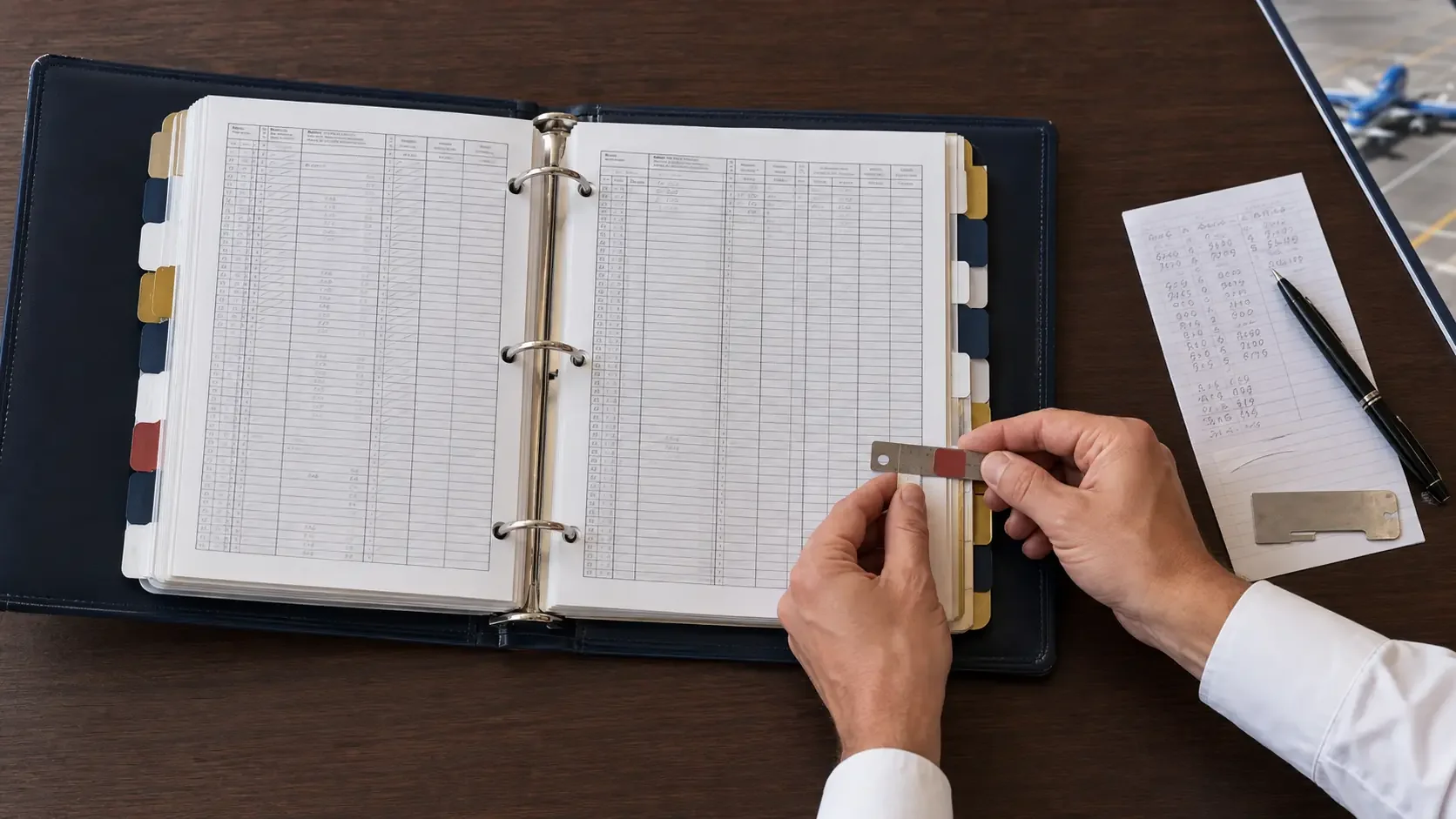
Step 4: Tab Every Checkride and Type Rating
Southwest requests all checkrides and type ratings from the beginning of initial flight training through the present.
This includes both passed and failed events.
Depending on your training history, these could include:
Private Pilot Checkride
Instrument Rating Checkride
Commercial Pilot Checkride
Multi-Engine Checkride
CFI, CFII, or MEI Checkrides
ATP Checkride
Initial Type Ratings
Additional Type Ratings
Failed Checkrides and Subsequent Retests
Checkrides completed in a simulator
Use clear labels such as “Private Checkride,” “IR Checkride,” “Commercial Checkride,” or the applicable aircraft type.
Do not hide a failed checkride or place the tab somewhere that makes the event difficult to locate. If an initial attempt and retest appear on different pages, tab both pages.
For a checkride completed in a simulator, Southwest directs candidates to tab the appropriate page and line where the event would have occurred if it had been completed in an aircraft. Place it at the correct point in the chronology without fabricating an aircraft flight entry or backdating a new record.
If the event is supported by a training record, type-rating record, or notice of disapproval rather than a normal flight entry, keep that supporting documentation with your interview records.
Step 5: Tab All Endorsement Pages
Southwest’s instructions call for all endorsement pages to be tabbed.
That includes endorsements contained in:
Original student logbooks
Dedicated endorsement sections
Separate pasted or inserted pages
Later paper logbooks
Electronic logbook printouts
Scanned source documents
Do not assume that one general “Endorsements” divider is sufficient if endorsements appear on multiple pages. Make every page containing an endorsement easy for the reviewer to locate.
Review the original records for:
Primary training and solo endorsements
Practical-test recommendations
Complex-airplane endorsements
High-performance endorsements
Tailwheel endorsements
High-altitude endorsements
Flight-review endorsements
Instrument proficiency checks
Other training or operating endorsements applicable to your history
Under 14 CFR §61.51(h), logged training must be endorsed legibly by the authorized instructor and contain the required training information.
If a signature exists in your original paper logbook but not in the electronic transcription, bring the signed original. Do not represent the digital entry itself as signed when the signature exists only in a separate source record.
If something appears to be missing, address it early. Do not copy a signature, sign for an instructor, or ask a different instructor to certify training they did not provide. See What to Do About Missing CFI Signatures or Endorsements.
Step 6: Print Your Electronic Logbook Properly
If your records are maintained electronically, Southwest requires the electronic logbook to be printed in its entirety.
A totals summary by itself is not sufficient.
Your printed logbook should include:
Every individual flight entry
All applicable flight-time columns
Aircraft information
Routes and dates
Remarks
Running totals or page totals
Endorsements and signatures stored in the application
Any included certificate or qualification pages
Before printing, inspect the PDF at full size. Make sure:
No columns are cut off.
Text remains legible.
Page numbers are present.
Entries remain chronological.
Headers repeat clearly.
Totals can be followed from one page to the next.
Tabs will not cover entry information.
The layout is consistent throughout the binder.
If the export contains pilot-certification or signature lines, signing completed printed pages in blue or black ink is a prudent presentation practice. However, the Southwest instructions described here do not expressly state that every printed page must be signed, so follow any certification instructions contained in your current invitation packet.
A clean binder is normally easier to review and update than loose pages. The goal is not excessive decoration; it is fast, reliable navigation.
Step 7: Perform a Final Southwest-Specific Audit
Once the records are organized and tabbed, conduct a final review from the perspective of someone who has never seen your logbook before.
Confirm that:
Every logbook is present.
The entire record is chronological.
Paper-to-digital transition dates make sense.
Page totals and carry-forwards are accurate.
Duplicate or missing flights have been investigated.
The Southwest application can be reconciled with the logbook.
Simulator time is excluded from Southwest application totals.
Sole-manipulator PIC is excluded from Southwest PIC when you were not the designated PIC.
Fixed-wing turbine milestones are calculated correctly.
The most recent fixed-wing turbine flight is tabbed.
Every passed and failed checkride is tabbed.
Every type rating is tabbed.
Simulator checkrides are marked in the correct chronological location.
Every endorsement page is tabbed.
Original primary-training signatures and source records are included.
Tabs are readable and do not obscure entry information.
It is also worth reviewing the common pilot logbook mistakes that raise red flags before considering the project finished.
Know Your Own Logbook
Organization gets the reviewer to the correct page. You still need to understand what is on that page.
Recent Southwest interview reports describe candidates being asked about early flights, checkride dates, and career milestones. Be prepared to discuss:
Your first flight
Each certificate and rating
Failed checkrides and what you learned
Aircraft transitions
Unusual PIC or SIC classifications
Differences between logbook and application totals
Simulator training and type-rating events
Gaps in flying
Corrections or reconstructed entries
You do not need a rehearsed explanation for every flight. You should, however, have a concise and truthful explanation for anything unusual.
Frequently Asked Questions
Does Southwest accept electronic pilot logbooks?
Yes, but the current candidate instructions require an electronic logbook to be printed in its entirety when it is the applicant’s only logbook. Applicants must also bring source logbooks used to generate the electronic record, including records containing primary-training sign-offs.
Do I bring my original paper logbooks after converting them to digital?
Yes. If the paper books were used as source documents for the electronic logbook, bring them. The digital transcription does not replace original instructor signatures and endorsements.
Does simulator time count on the Southwest application?
No. Southwest instructs candidates not to include simulator time on the application or other paperwork. Valid simulator records can remain in the underlying logbook, but they should not be rolled into the flight-time figures submitted to Southwest.
Does sole-manipulator PIC count as Southwest PIC?
Not by itself. Southwest defines PIC as Captain or Aircraft Commander of record, or the pilot signing for the aircraft. PIC logged solely because you manipulated the controls may be legal under FAA logging rules while still being excluded from Southwest’s application PIC figure.
Which turbine milestones need to be tabbed?
The current candidate instructions list 250, 500, 750, and 1,000 hours of fixed-wing turbine time, plus the applicant’s most recent fixed-wing turbine flight.
Do failed checkrides need to be tabbed?
Yes. Southwest specifically requests all passed and failed checkrides from the beginning of initial flight training through the present.
What if a checkride occurred in a simulator?
Tab the appropriate page and line where the checkride would have occurred chronologically if it had taken place in an aircraft. Do not count the simulator time as aircraft flight time on the Southwest application.
Do all endorsement pages need tabs?
Yes. The current instructions specify all endorsement pages, so make every page containing an endorsement easy to locate.
Final Preparation
The best Southwest interview logbook is not necessarily the fanciest. It is the one that follows the candidate instructions exactly, reconciles with the application, preserves the original supporting records, and allows a Southwest pilot to find every requested event quickly.
Start early enough to resolve questions before the final week. Correctly identifying turbine milestones, reconciling Southwest-specific PIC, locating every checkride, and tracking down original endorsements can take longer than expected.
For pilots who want the review, formatting, printing, and Southwest-specific tabbing handled together, PilotAudit’s Pilot Interview Logbook Prep Package prepares the records you provide as a clean, professionally printed interview binder while identifying items that may require your verification.
PilotAudit reviews, organizes, and formats pilot logbook records based on the documents provided. The pilot remains responsible for verifying the accuracy, completeness, legality, and use of all entries and totals. PilotAudit does not provide interview coaching or guarantee interview or hiring outcomes.
