How to Convert Military Flight Records into a Civilian Logbook
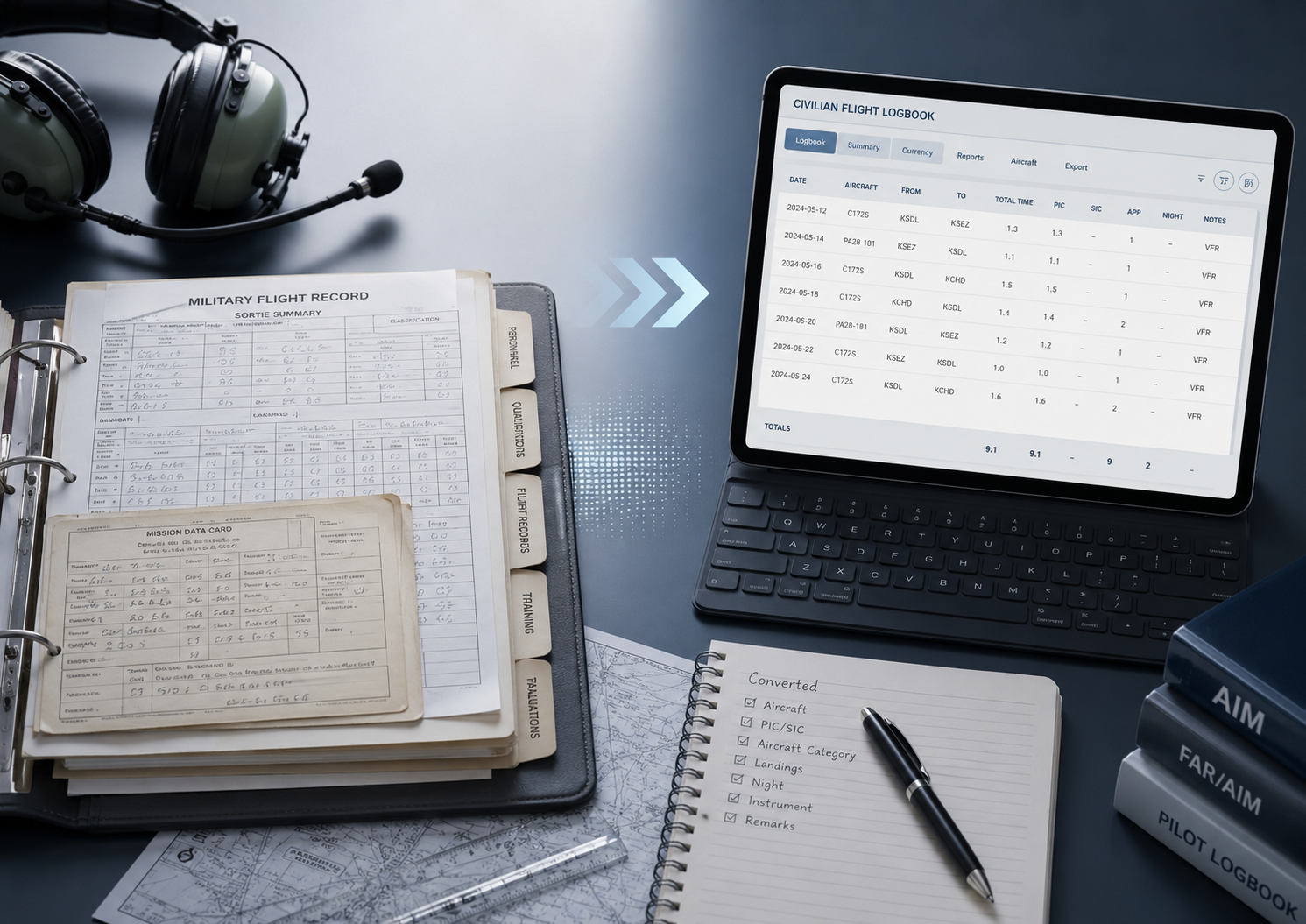
If you're a military pilot heading toward an airline career, here's the frustrating truth: the hard part isn't the flying you've already done — it's the paperwork. The military tracked your flight time in its own way, for its own purposes, and none of it was designed to drop neatly into an airline application. Now you have to translate years of sorties into a clean civilian logbook that an airline recruiter will scrutinize line by line.
Many military pilots face this because they never kept a personal civilian logbook, trusting the service to track their hours. That leaves you reconstructing your record from scattered source documents and translating military categories into civilian ones — a tedious, judgment-heavy process where mistakes can raise red flags at exactly the wrong moment.
This guide walks you through how to think about that conversion: what makes military and civilian records different, how to handle PIC time correctly, and the pitfalls that trip pilots up. A quick but important note first: this is general guidance, not legal advice, and it doesn't replace current FAA requirements, each airline's specific application instructions, or a qualified professional reviewing your particular situation. The rules involve judgment calls, and the goal is a record you can defend, not just a bigger number.
Why Military Records Don't Translate Directly
The core problem is that the military and civilian worlds measure and categorize flight time differently. Military records often emphasize airborne time — roughly takeoff to landing — while civilian logbooks record block time, from when the aircraft first moves under its own power until it comes to rest at the end of the flight. The military also uses its own terminology (Primary, First Pilot, Instructor, Evaluator) that doesn't map one-to-one onto civilian categories like PIC, SIC, and dual given.
On top of that, your records may be spread across multiple systems — flight management databases, individual flight records, training summaries, and paper documents — that were never meant to become a single clean summary. So conversion is really two jobs at once: reconstructing a complete record from those sources, and re-categorizing each entry into civilian terms.
Step 1: Gather Your Source Records
Before you convert anything, collect everything. Depending on your branch and era, that can include your service's flight-hour management records, individual flight record printouts, training folder summaries, any personal logbook or spreadsheet you kept, simulator records, and any civilian flying you've added on the side.
Two principles matter here. First, keep your original source records — they're the evidence behind every number, and you may need to show them. Second, your new digital logbook is a working record built from those sources, not a replacement for them. Preserve the originals separately.
Step 2: Understand How Military and Civilian Time Differ
Because military records often capture airborne time rather than block time, a straight transfer can actually undercount your civilian-equivalent total. This is where "conversion factors" come in — a common practice of adding a small increment per sortie (you'll often see figures like 0.2 or 0.3 of an hour) to account for taxi and ground movement that the military record didn't capture.
Here's the critical part that pilots get wrong: do not include converted time in an airline application unless the airline's instructions allow or require it, and keep raw military time and any converted totals clearly separated. Practices vary by airline. Some want your raw military time and apply their own conversion. Some want you to do it. Some want specific supporting detail. Including a conversion the airline didn't ask for can create a mismatch between your logbook and their expectations — and mismatches are exactly what recruiters hunt for. Follow the instructions for the specific application in front of you, and label your raw and converted numbers clearly so you can always explain where a total came from.
Step 3: Convert PIC Time Correctly
This is the most important — and most misunderstood — part of the whole process.
Military "Primary" time is not the same as civilian pilot-in-command time, and the FAA and the airlines don't even define PIC identically. Under FAR 61.51, you can log PIC when you're the sole manipulator of the controls of an aircraft you're rated in, when you're the sole occupant, or when you act as PIC of an aircraft that requires more than one pilot. That's the FAA's logging definition.
Airlines, however, are stricter. Many airline applications count PIC more narrowly — often only time when you actually signed for the aircraft as the acting aircraft commander. That means your "FAA-loggable PIC" and your "airline PIC" can be two different numbers.
The cleanest way to handle this is to keep two separate columns — one for FAA PIC and one for airline PIC — so you can present whichever the application asks for. For airline PIC, the most correct method is to go flight by flight after the date you were certified as an aircraft commander and identify which flights carried your signature on the orders. Where records make that impossible, some pilots use a documented estimating method, but any estimate should be conservative, clearly labeled, and explainable. Whatever figure you use, be prepared to justify it at your interview.
Step 4: Handle Instructor and Evaluator Time
Military instructor and evaluator time should be kept in clearly labeled columns. Airlines may ask for or credit instructor/evaluator time differently, so follow the specific application instructions. For FAA purposes, military training received may be creditable under 14 CFR § 61.41, and FAA CFI/PIC logging rules should be applied carefully based on the pilot's certificates and qualifications.
Step 5: Categorize the Rest
Work through your remaining categories the same careful way. Night, instrument, and cross-country time each have civilian definitions that may differ from how the military logged them, so translate based on the civilian rule, not the military label. Keep simulator and training-device time in its own separate section — never blended into total flight time, which can create a major issue during review. And be aware that some categories of military "other" time simply don't have a civilian equivalent and won't convert at all.
Step 6: Keep Source and Converted Records Separate and Labeled
One of the fastest ways to create a messy, un-defendable application is to blend raw military time and converted civilian-equivalent time in the same column without labels. Build your logbook so that every entry preserves the source behind it, with a clean split between military, civilian, simulator, and training time. Add notes on any entry that required a judgment call.
The payoff is huge: when an interviewer asks why a total shifted between two documents, you can show the reason instead of guessing. That single habit — a defensible, well-documented record — is what separates a smooth logbook review from a painful one.
Step 7: Make It Match Your Application
Expect your records to be examined thoroughly and compared against your application to find inconsistencies. Your logbook totals and your application must agree — down to the category. Reconcile them carefully before you submit and again before you interview. The same raw records may need to support several different views (FAA certification totals, restricted-ATP eligibility, the airline's application fields, interview prep), so build one master record you can filter into each view, rather than rebuilding from scratch each time.
A Note on the Restricted ATP Pathway
Qualifying military pilots may be eligible for a restricted ATP certificate at a lower total-time threshold than the standard path — potentially as few as 750 hours for those who meet the military criteria. Eligibility depends on the actual current requirements and your supporting records, so don't assume a headline number is enough. Treat your totals as a starting point and confirm eligibility against current FAA requirements and your training documentation.
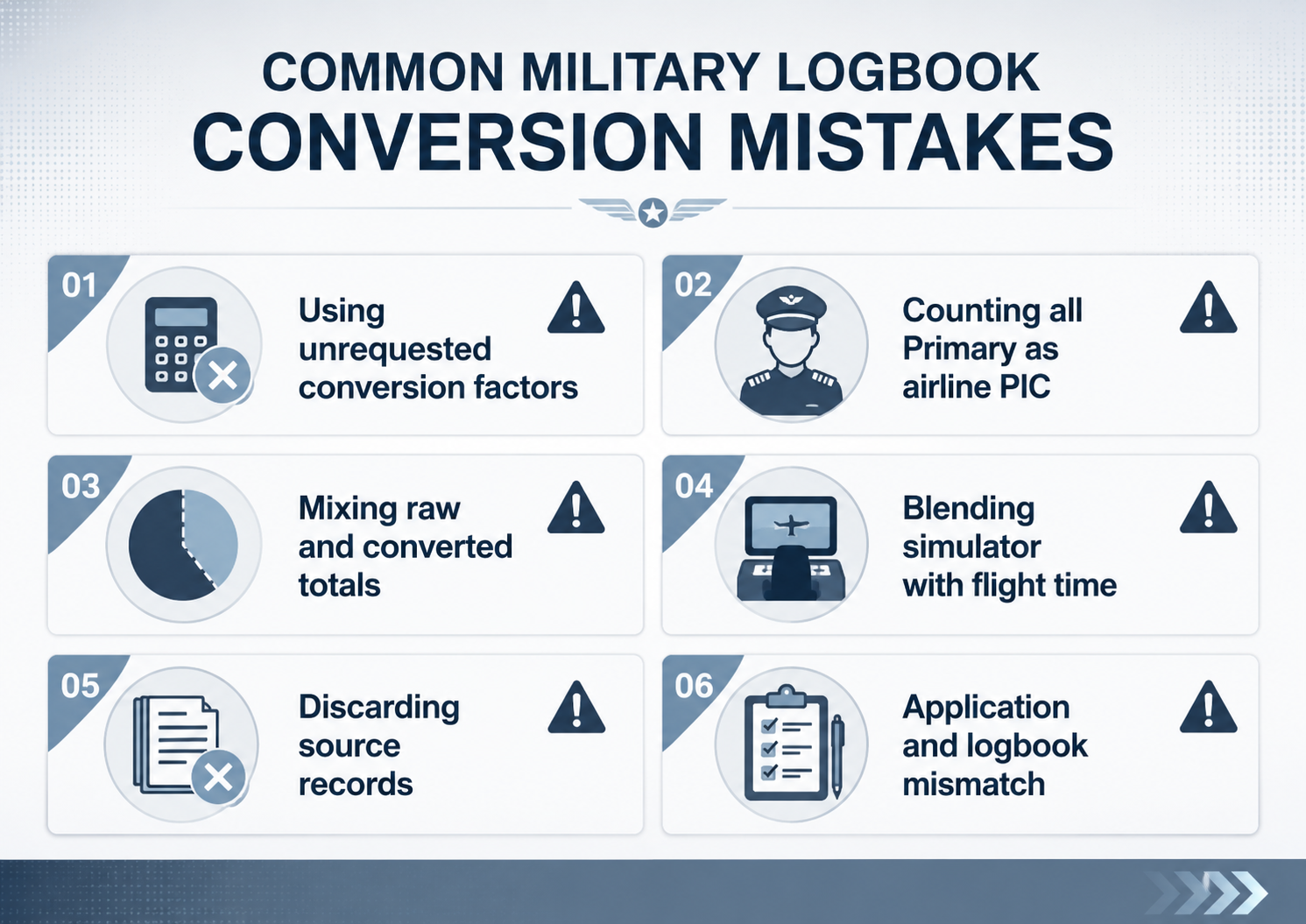
Common Mistakes Military Pilots Make
Watch for these specifically:
Applying conversion factors the airline didn't request, creating a mismatch.
Logging all Primary time as airline PIC when you only signed for a portion of it.
Blending raw and converted numbers in one unlabeled column.
Mixing simulator time into total flight time.
Discarding source records after building the digital version.
Letting the logbook and application disagree, even by a few hours.
Do It Yourself, or Have It Done
You can absolutely do this conversion yourself if you have the time, the source records, and the patience for line-by-line categorization. Many transitioning pilots, though, choose to have it done professionally — the process is tedious, the judgment calls are consequential, and a clean, defensible record is worth a great deal when your airline career is on the line.
That's where PilotAudit can help. Our professional logbook conversion transcribes and organizes your records into a clean digital logbook that preserves your source data while presenting your time in civilian categories. Our Professional Pilot Logbook Audit then reviews your totals, splits, and consistency, and flags anything that needs your attention before it reaches a recruiter — invaluable when your PIC figures rest on judgment calls you'll need to defend. And when it's time to interview, the Pilot Interview Logbook Prep Package formats your converted record into a clean, tabbed binder built around the airline you're interviewing with.
For related reading, see our guides on common pilot logbook mistakes that raise red flags and how to prepare your pilot logbook for an airline interview.
Frequently Asked Questions
Is military Primary time the same as civilian PIC time? No. Military Primary time doesn't automatically equal civilian PIC. The FAA and airlines define PIC differently, and many airline applications count PIC more narrowly, often only time for flights where you signed for the aircraft as the acting aircraft commander. Keep FAA PIC and airline PIC in separate columns.
Should I add a conversion factor to my military flight time? Do not include converted time in an airline application unless the airline's instructions allow or require it. Because military records often capture airborne rather than block time, some airlines apply a conversion factor, but practices vary. Keep raw military time and any converted totals clearly separated, and follow each application's instructions.
Do I need my original military records if I build a digital logbook? Yes. Keep your source records permanently. Your digital logbook is a working record built from them and should never be your only copy. You may need the originals to support your numbers during review.
How should I handle military instructor and evaluator time? Keep instructor and evaluator time in clearly labeled columns, and follow each airline's instructions, since airlines may ask for or credit it differently. For FAA purposes, military training received may be creditable under 14 CFR § 61.41, and CFI and PIC logging rules should be applied carefully based on your certificates and qualifications.
How many hours do military pilots need for a restricted ATP? Qualifying military pilots may be eligible at a reduced threshold — potentially as few as 750 hours — but eligibility depends on current FAA requirements and your supporting records. Verify your specific eligibility rather than assuming a headline number qualifies you.
Should I convert my military records myself or hire a service? Either can work. Doing it yourself saves money but takes time and careful judgment. A professional conversion and audit reduce the risk of inconsistencies and give you a defensible record, which many pilots consider worth it with an airline career at stake.
This article is general information, not legal or regulatory advice. PilotAudit reviews, organizes, formats, and converts pilot logbook records based on the documents you provide. You remain responsible for verifying the accuracy, completeness, and legality of all entries, totals, and category conversions, and for following current FAA requirements and each airline's application instructions. PilotAudit does not guarantee interview or hiring outcomes.
